
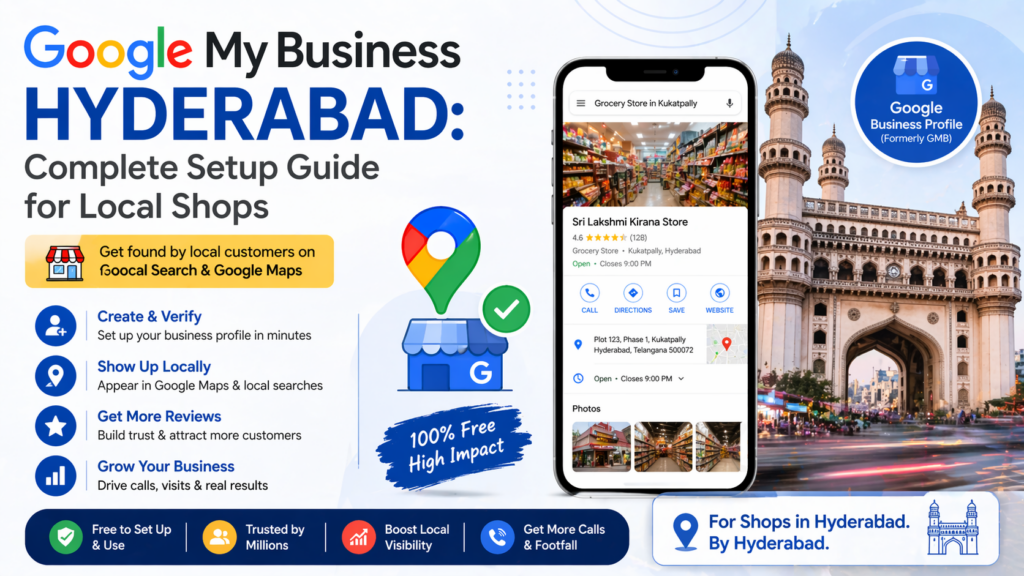

You’ve got a great shop in Hyderabad—maybe in Kukatpally, Banjara Hills, or Dilsukhnagar.
But when someone searches on Google Search for:
- “mobile repair near me”
- “best biryani shop in Ameerpet”
Your business doesn’t show up.
That’s exactly where Google Business Profile comes in.
This Google Business Profile Setup guide will show you how to:
- Add your business on Google
- Get a Google Maps listing free
- Improve local SEO for small business
- Rank higher in local searches
And the best part? It costs ₹0.
What is Google Business Profile & Why It Matters
Google Business Profile (formerly Google My Business) is a free tool that helps your business appear on:
- Google Maps
- Google Search
When someone searches locally, Google shows a “local pack”—a list of top businesses with:
- Ratings
- Photos
- Directions
If your business isn’t there, you’re losing customers daily.
For any local business listing in Hyderabad, this is the foundation of visibility.
Google Business Profile Setup (Step-by-Step Guide India)
Step 1: Create Your Listing

6
Go to Google Business and:
- Click “Add your business”
- Enter your business name
- Choose the correct category
👉 This step directly impacts how you rank on Google Maps.
Step 2: Add Accurate Location (Hyderabad Focus)
Enter your full address with area:
- Madhapur
- Begumpet
- LB Nagar
Make sure your pin is correct on Google Maps—this is critical for Google Business Profile Hyderabad rankings.
Step 3: Verify Your Business


6
Verification options:
- Postcard (5–14 days)
- Phone or email (instant for some users)
Without verification → your listing won’t go live.
Step 4: Optimize for Local SEO (Ranking Factor)
Most businesses stop at setup—that’s a mistake.
To improve local SEO for small business, optimize:
✔ Business Description
Write naturally with keywords like:
- Google Business Profile setup
- local services in Hyderabad
✔ Photos
Upload:
- Shop front
- Products
- Staff
Businesses with photos get more clicks and direction requests.
✔ Business Info
- Hours
- Phone number
- Services
Keep everything updated.
Step 5: Get Customer Reviews (Critical for Ranking)
Reviews are the biggest ranking signal.
A business with:
- 50+ reviews
- 4+ rating
Will almost always outrank competitors.
Ask customers to leave reviews and respond to all—especially negative ones.
How to Rank on Google Maps (Advanced Tips)
To go beyond basic Google Business Profile setup, follow this:
1. Use Keywords Naturally
Include:
- Google My Business Hyderabad
- local business listing Hyderabad
2. Post Weekly Updates
Use Google Posts for:
- Offers
- Announcements
3. Add Photos Regularly
Fresh content signals activity to Google.
4. Stay Consistent
Update timings during festivals like:
- Sankranti
- Eid
- Dussehra
Common Mistakes in GMB Setup (India)
Avoid these:
- ❌ Wrong business category
- ❌ Incomplete profile
- ❌ No photos
- ❌ Ignoring reviews
- ❌ Incorrect address
These mistakes can kill your ranking—even in low competition areas.
Your Google Business Profile setup is not just a listing—it’s your digital storefront.
It’s:
- Free
- Powerful
- Essential in 2026
If you’re not on Google Maps yet, your competitors are getting your customers.
Start today, optimize properly, and combine it with a smart local SEO strategy—and you’ll see real growth.
If you’re serious about growing your local visibility, Groview Soultions can simplify the entire process. From Google Business Profile setup to review management and local SEO optimization, Groview helps Hyderabad businesses get discovered faster on Google Maps without the usual trial and error. Instead of juggling multiple tools, you can manage your listings, collect customer reviews, and improve rankings—all in one place—making it easier to turn online searches into real customers walking into your store.
Official Google Resources (Highly Recommended)
- Google Business Profile Help Center
Anchor text: learn more from Google Business Profile Help
https://support.google.com/business/ - Create or Claim Your Business Profile
Anchor text: set up your Google Business Profile step by step
https://www.google.com/business/ - Google Business Verification Guide
Anchor text: how to verify your business on Google
https://support.google.com/business/answer/7107242